Mobile apps
Use a compatible mobile app or SIP softphone for your business extension. Confirm device compatibility and calling permissions before connecting.

Business phone systems
Bring your business calls, extensions and call routing together in one hosted phone system.

| Capability | What you can do | Guide |
|---|---|---|
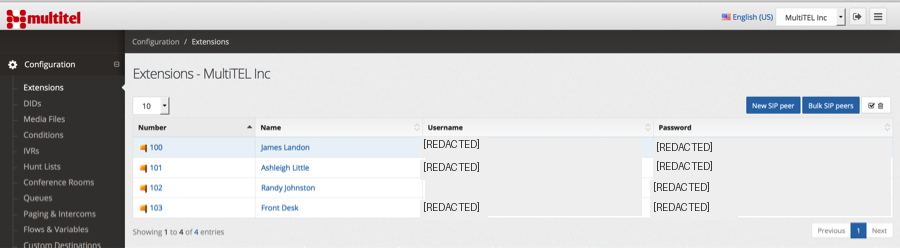
| Extensions and devices | Connect desk phones and softphones; configure forwarding and follow-me destinations. | Extensions and devices setup |
| Call menus | Let callers choose the right department with an automated attendant. | Call menus setup |
| Ring groups | Ring a team together or in a sequence. | Ring groups setup |
| Call queues | Hold incoming calls for the next available team member. | Call queues setup |
| Business hours | Send calls to different destinations during opening hours and after closing. | Business hours setup |
| Voicemail | Give callers a place to leave a message and manage voicemail delivery. | Voicemail setup |
| Audio conferences | Create dial-in conference rooms. Room limits are separate from participant capacity. | Audio conferences setup |
| Recording and S3 storage | Record configured calls and use S3 storage options for your recording workflow. Storage and usage charges depend on the setup. | Extension recording settings |
| Voicemail transcription | Read transcriptions and receive voicemail by email, according to your configured delivery options. | Voicemail settings |
| Fax | Manage fax integrations through the Hosted PBX API. | Fax setup |
For S3 recording storage or voicemail transcription setup, ask our team about your workflow.
Compare plan limits for extensions, groups, queues and voicemail
The business number reaches your phone system and checks opening hours.
During business hours, a greeting offers Sales and Support.
Sales rings the sales team; Support sends the caller to a queue.
If nobody answers, the caller can leave a voicemail. After hours, the call goes straight to the configured closed-hours destination.
Use a compatible mobile app or SIP softphone for your business extension. Confirm device compatibility and calling permissions before connecting.
Bring people into a shared conversation with web and video conferencing options. Choose the appropriate service for the meeting size and devices you need.
Discuss your conferencing requirementsConnect supported calling workflows with your CRM. Tell us which CRM and workflow you use so we can confirm integration and setup requirements.
Check your CRM integrationUse compatible SIP desk phones or a softphone. The setup guides cover extension credentials, NAT settings, forwarding and device provisioning.
Yes. MultiTEL offers white-label Hosted PBX through provider onboarding. Explore provider and branding options.
Number rental, calling usage and optional services are billed separately. Confirm device compatibility and onboarding requirements before deployment.
Choose a plan and create your PBX.
Add extensions and configure your calling destinations.
Connect compatible phones and test incoming and outgoing calls.
Use extensions for your team, then choose how incoming calls reach the right people. Keep routing rules, queues and menus together in your PBX configuration.
Extension setup guide